Brokers and agents
Property, insurance, yacht, mobile home and campervan brokers: the client who waits a day calls the next broker.
 Illustration
The 7 am brief
A private assistant you text on WhatsApp. Before 7 every morning you get one brief: today's meetings, who is waiting on you, and a reply drafted for every client email. You read, adjust, send.
The hour you spend every morning sorting mail is the hour your best client waits for an answer.
Owners and leadership teams of 5 to 50 people, where one client is worth a lot and every slow answer costs you.
Property, insurance, yacht, mobile home and campervan brokers: the client who waits a day calls the next broker.
Drawings, site visits, contractors, clients: one brief keeps every thread in view.
Suppliers, customers and the shop floor all write to you. The brief puts the urgent three on top.
No executive assistant yet, or one who is overloaded. The brief does the first hour of the day.
Same inbox, same calendar. You just start the day already sorted.
TodayYou open 60 emails to find the 4 that matter.
→With itThe 4 that matter are on top of your brief, with a short why.
TodayClient replies wait until you have a quiet moment.
→With itA draft is ready for every client email. You adjust and send.
TodayYou walk into meetings from memory.
→With itA short note on the client and the last emails before each meeting.
TodayYou look things up on the laptop.
→With itYou ask on WhatsApp and get the answer with the email it came from.
 Illustration
Four meetings, three clients waiting, one invoice overdue. Nine replies drafted.
"What did the notary send about the Lopez file?" The answer comes back with the email it found.
You read the drafts over coffee, change two lines, send. Clients have their answer before the office opens.
One page on the client: last emails, open points, what they asked for last time.
What is still open, who is waiting, what slipped. Nothing falls into the weekend.
Screenshots from our own installation, on our own machine. Demo data, no real clients.
Swipe →
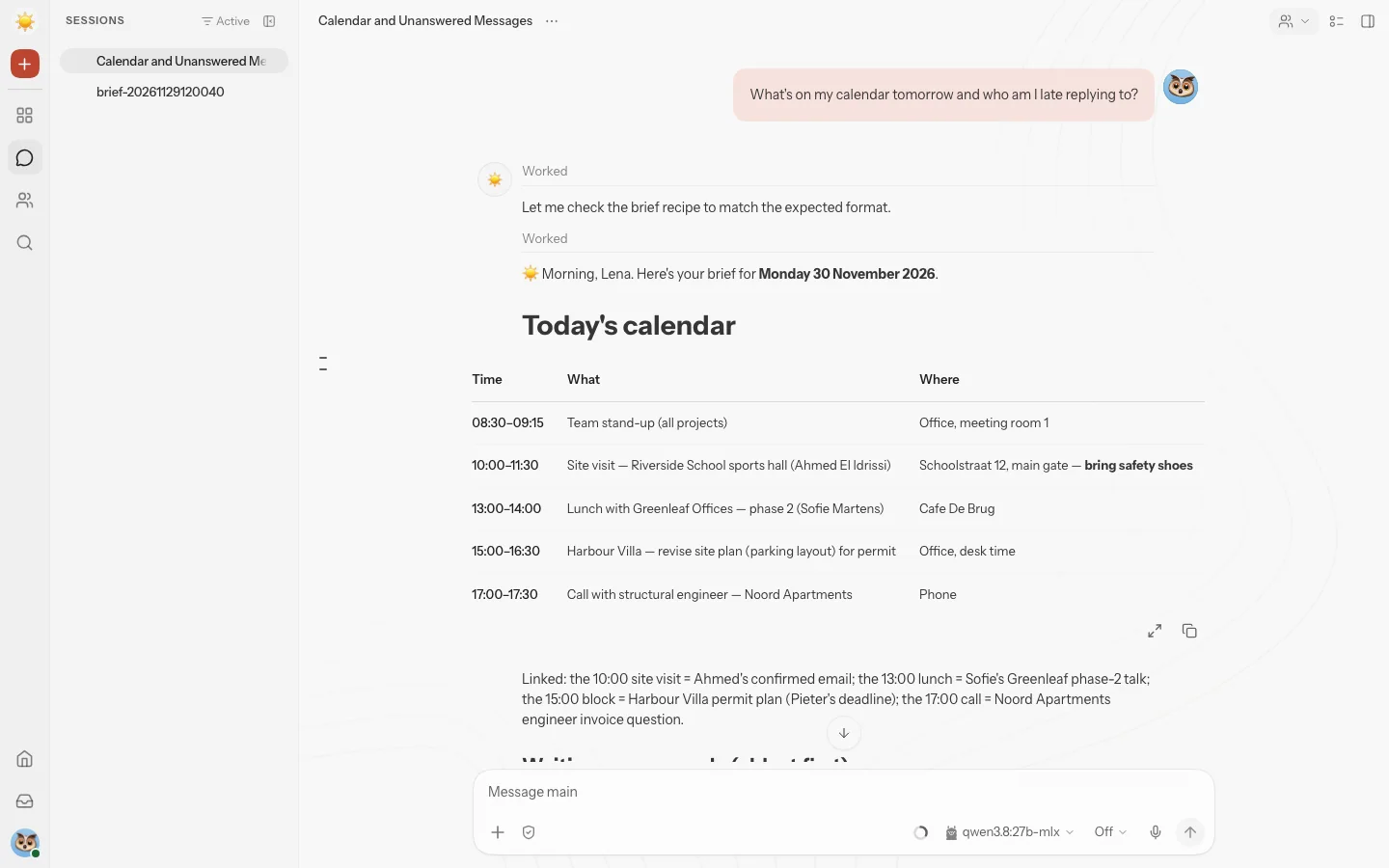 Demo data
Ask a plain question, on WhatsApp or at your desk; the answer links back to the emails it used.
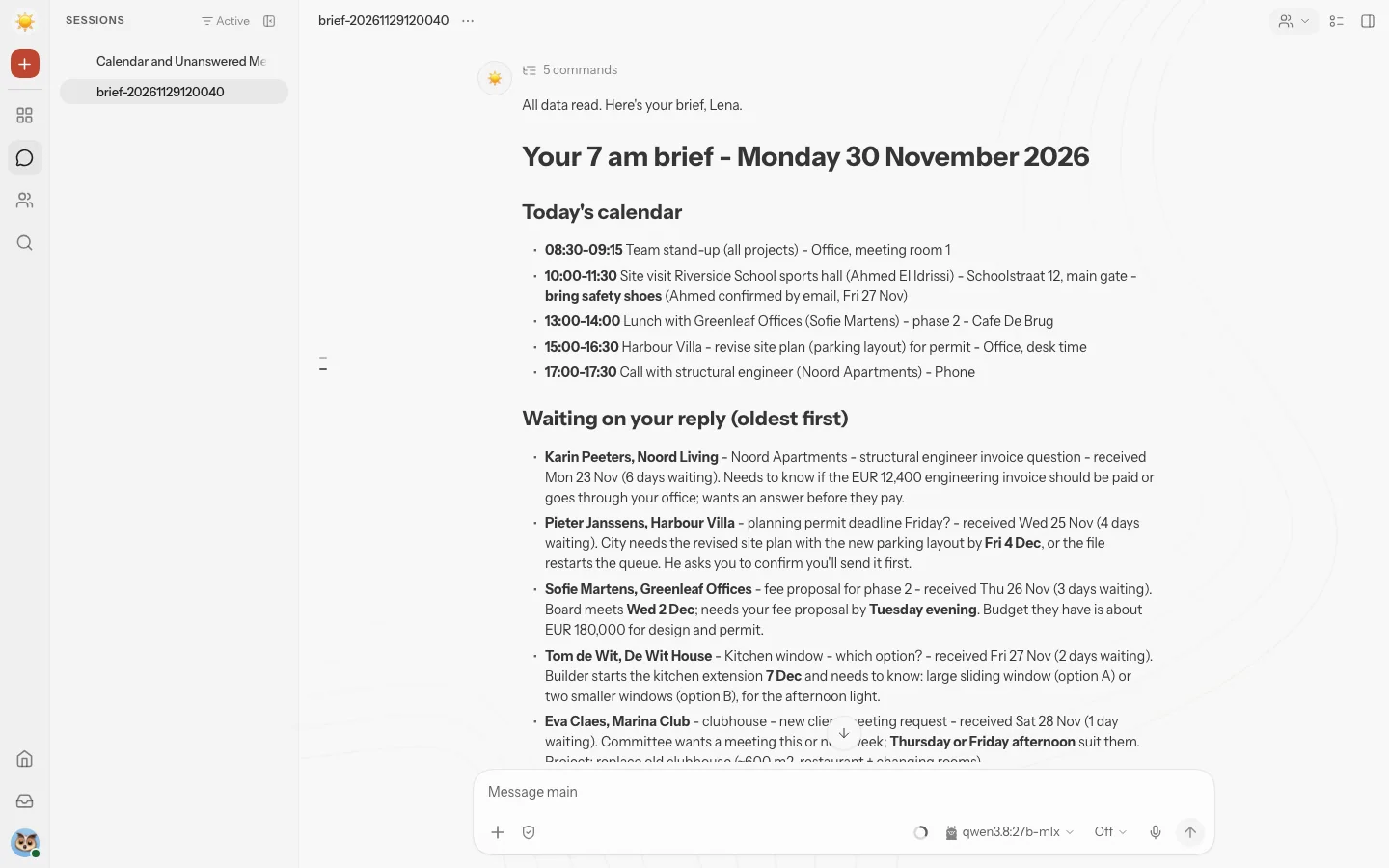 Demo data
Meetings, people waiting, deadlines and drafted replies in one morning message.
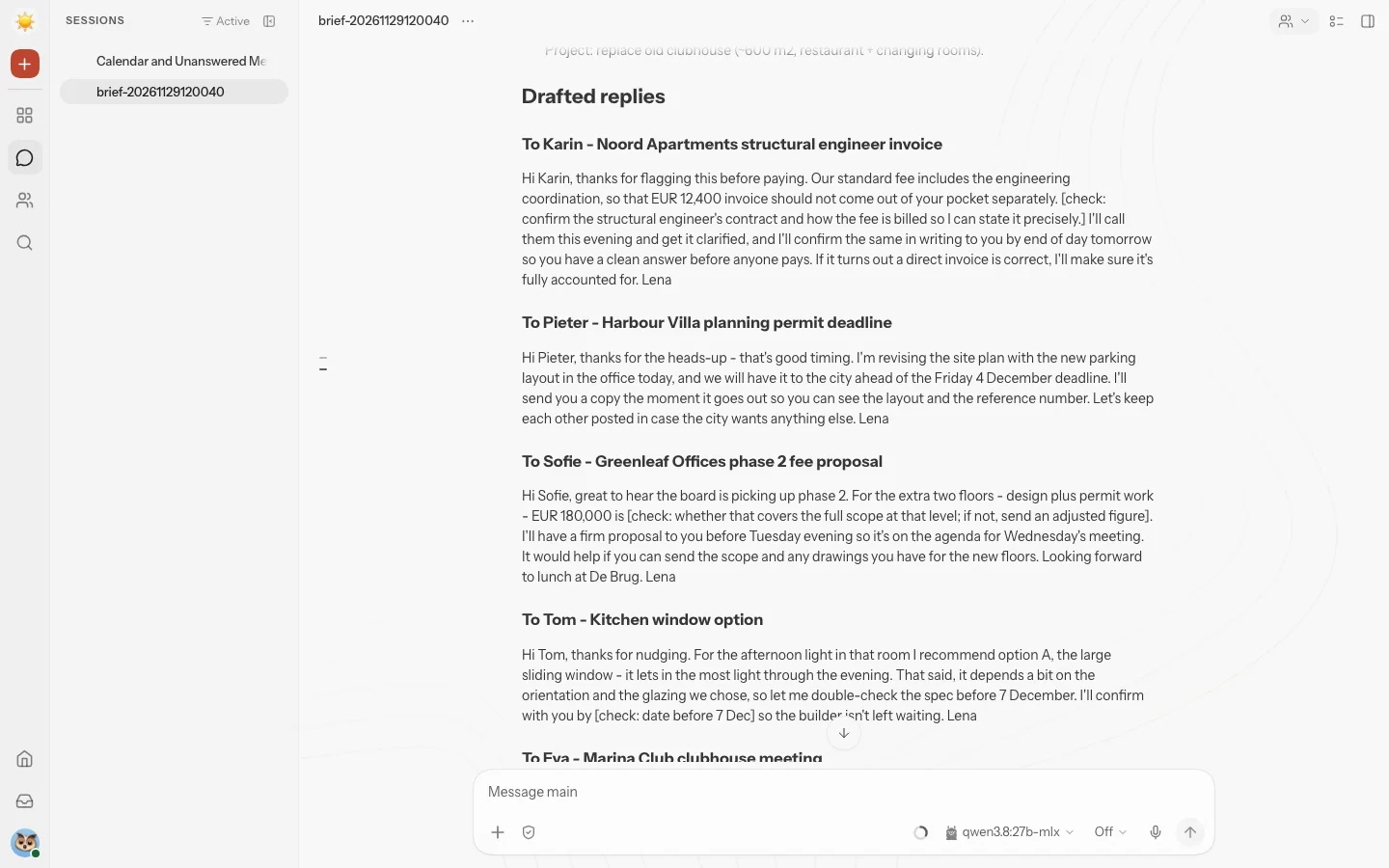 Demo data
Replies written in your tone, waiting for your yes. Nothing is sent without you.
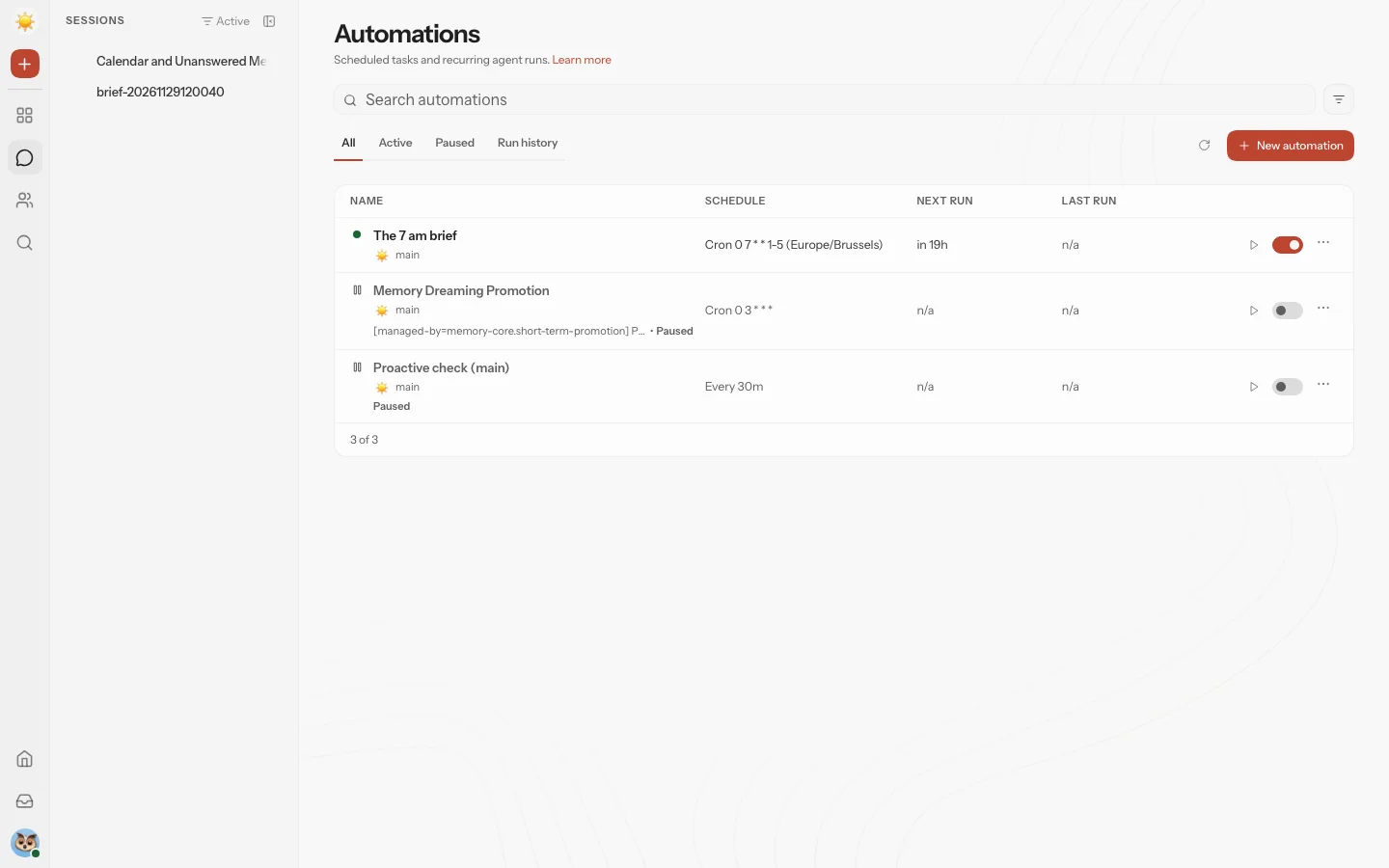 Demo data
The brief runs on a schedule, Monday to Friday at 7:00 in your time zone. Nothing to remember.
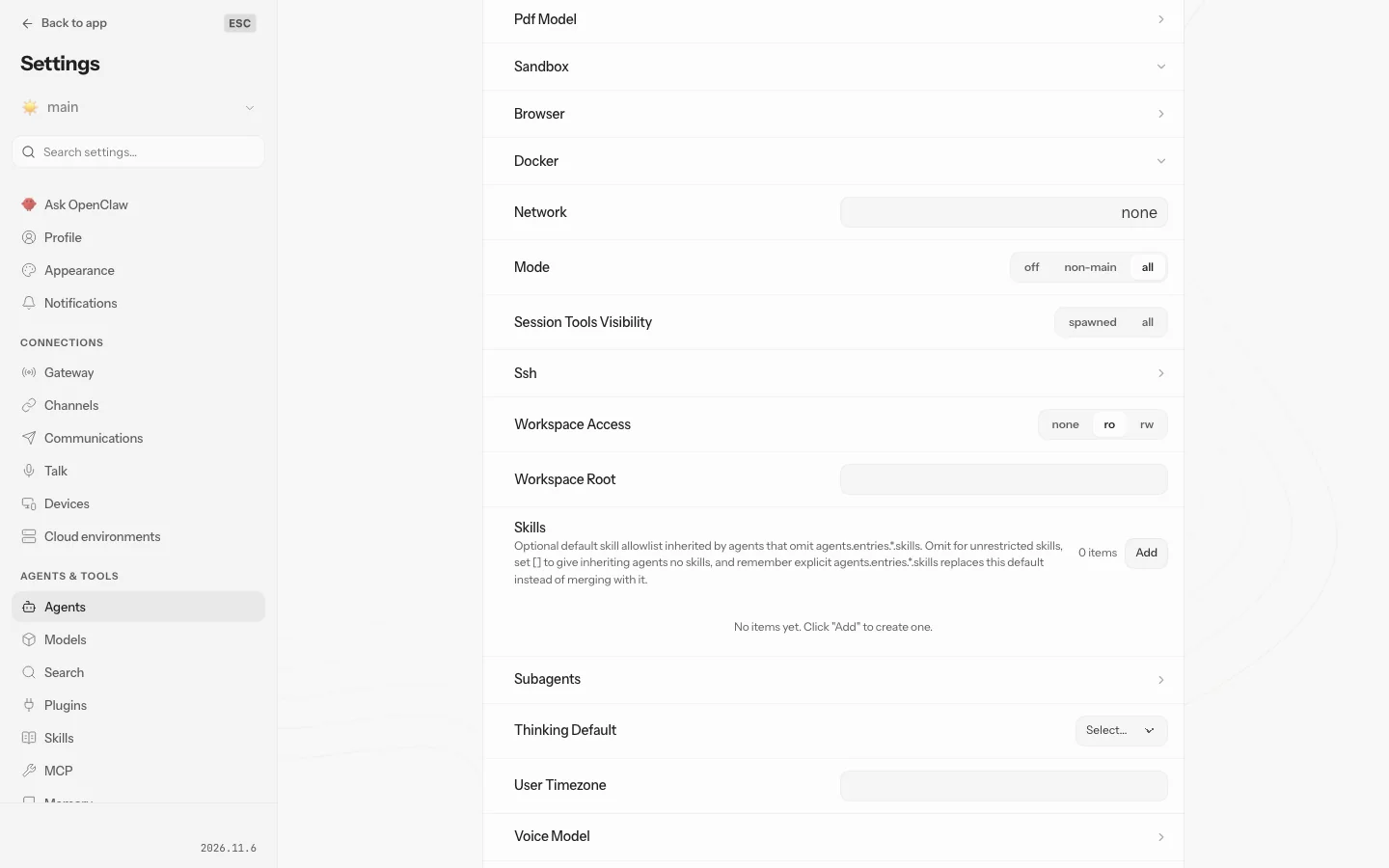 Demo data
Sandbox on, mail and calendar read-only, only add-ons we checked.
Live in 7 days or you don't pay.
And if it isn't for you, we remove it free, any time. You take no risk to find out whether your mornings get better.
Built on open-source software (OpenClaw, MIT licence): yours to keep.
 Illustration
Misa, founder of The Automation Nomad, sets it up personally: in your office or remotely. An EU-regulated Belgian electrician and industrial automation expert with 10+ years in 400+ factories and 1,000+ companies trained, working in English, Spanish, Dutch, French and German.
"How to use an AI assistant without putting client data at risk." In a co-working space, a library, the chamber of commerce or your office. We show it running before we explain it.
You take home what to switch on, what to keep off, and what never to give it.
Installed on your machine, in your name. Read-only for the first 2 weeks while you get used to it.
Your clients ask you about assistants and data safety. Add the 7 am brief to your own offer and let us install it.
Book the install for your client at a partner price and keep it inside your own offer.
Introduce a client who needs it. When the install runs, you receive 10% of it.
Several clients? Book installs by the week or the month at a discount.
No. It drafts, you send. For the first 2 weeks it can only read mail and calendar, and after that it only does what you switch on.
On a machine in your company's name, in your office or on your own server. It is not shared with other clients and you can have it wiped any time.
A Mac mini, a Windows PC or a small Linux server is enough. If you already have one that fits, we use it.
Yours. Drafts follow the language of the email: English, Spanish, Dutch, French, German and more.
Book a free 45-minute session or message us on WhatsApp. We show it running first.
+34 632 221 293 Spain (WhatsApp)+32 468 17 00 09 Belgiumcontact@automationnomad.site
We speak your team's language: English, Spanish, Dutch, French and German.
Hover anything and I'll explain it.